


3.1.8. eStara softphone
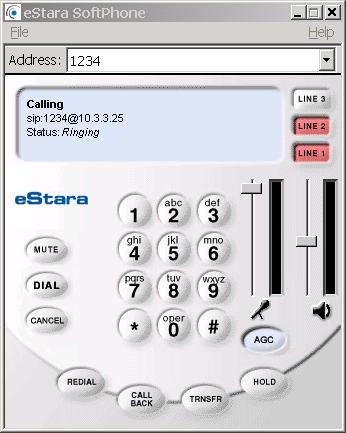
This softphone client supports SIP. So if you follow our example from the begining this phone gives you the chance to register and call any of the SIP users we have registered (ivan, test).
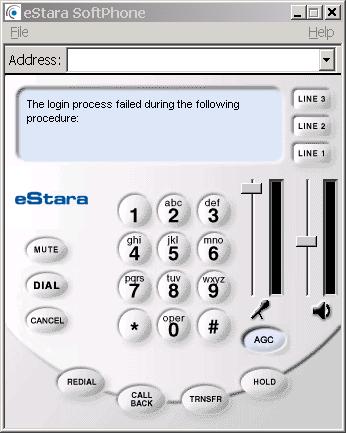
When you starts the phone for first time it is normal to see some failure displayed. Do not worry! As soon as you register an user and restart the application everything will be fine.
Just register any user by going to File/Settings menu.
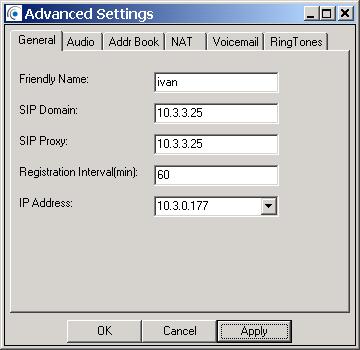
Above is what you see when registring the user. Here I choose user ivan. In the ‘Friendly Name’ field you may type anything you want, I prefer to be the user who will be registered. SIP domain and proxy is the IP address of Asterisk (in my case this is 10.3.3.25 you have to type the IP of the Asterisk server you are using). ‘IP Address’ is the IP of your host pc (my IP is 10.3.0.177 you have to type your own).
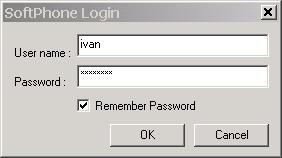
After this go to LogIn from the File menu again. Username is the username of your user and the user’s password (secret field in iax.conf or sip.conf depending whether the user is SIP or IAX one). The application may remember your password but if do not want you may uncheck the ‘Remember Password’ field.
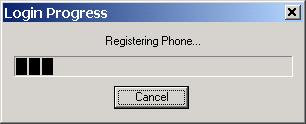
Wait a minute while your user is being registered
Now you can call the extensions from the context. Just type the number you want to dial in the address field.
For information how to make the configurations in the Asterisk's configuration files please read our tutorial about the Configuring IP Phones for use with Asterisk
| Add Comment |
Latest Headlines:
-
T.38 faxing with Zoiper 2.15 is now easier than ever
section: voip software
-
Asterisk 1.4.21 Released
section: Asterisk
-
Asterisk 1.4.20 Released
section: Asterisk
-
Asterisk 1.4.20-rc2 Released
section: Asterisk
-
Asterisk 1.4.20-rc1 Now Available
section: Asterisk
- News Archives (older news)
Latest Tutorials:
-
Sending Fax from Zoiper to Zoiper using T.38
added 08/Dec/2008 18:16
-
VMAuthenticate (dialplan application)
added 01/Mar/2008 15:57
-
Siptronic ST-530
added 06/Nov/2007 17:57
-
Siemens C455 IP hardphone
added 05/Nov/2007 10:24
-
Zoiper
added 22/Oct/2007 17:53
Latest Comments:
-
https://www.strava.com/clubs/tronaresful...
tutorial: General Installation
-
https://portfolium.com/entry/superman-hd...
tutorial: SIP with NAT or Firewalls
-
<a href=https://okna-plastic-8.ru/>http:...
tutorial: VMAuthenticate (dialplan application)
-
<a href=https://okna-plastic-1.ru/>https...
tutorial: VMAuthenticate (dialplan application)
-
https://scorexa.com/2025/10/29/aidan-hut...
tutorial: Basic Information